

Drawing a line in the sand#
If Part I struck a nerve, that’s the whole point. Once you start noticing what your phone is doing to your time, you can’t really un-notice it. The next step is important: deciding where to draw the line.
Disclaimer first: there’s no single magic fix here. None of this is groundbreaking stuff either; most of it is just things I’ve actually tried over the years and stuck with because they worked for me. Some bits I pinched from articles I’ve read; some I figured out the hard way. Take what’s useful, ignore the rest, and don’t beat yourself up if you slip back into old habits. That’s pretty much the default state.
One thing I will say up front is that willpower is a terrible long-term strategy. If you have to fight your phone every time you pick it up, you’ll lose more often than you win. Catherine Price, author of How to Break Up With Your Phone, makes a similar point: the trick is to make the temptation harder to reach in the first place, so you’re not constantly arm-wrestling yourself. The rest of this article is basically a bunch of practical ways to do exactly that.
Quick wins for today#
Before we get into the why and how, here’s the very short version. If you only do one or two things from this whole article, do these:
- Buy a separate alarm clock and stop using your phone as one.
- Turn off notifications for every app that isn’t a real human or a real diary appointment.
- Use Focus modes - schedule Bedtime Mode on iOS (or Wind Down on Android) and let your phone go quiet and grey at night.
- Pick a single time of day, every day (the morning cup of tea, the school run, dinner, whatever), and make it phone-free. No exceptions.
- Delete one app you don’t really use any more. Then another next week.
- Offload apps - as an alternative to fully deleting, offloading applications was originally designed to help with managing storage, but it has two more practical benefits too: it can reduce how much background data an app uses when you’re not using it, and it creates enough friction to help curb overuse. Offloading keeps your data but offloads the app to prevent it from running (and sending notifications etc).
The rest of this article digs into the why behind each of these, plus a load of other practical bits. Take what’s useful.
Start with your mornings#
One of the biggest changes I made was this: stop reaching for the phone the second I wake up.
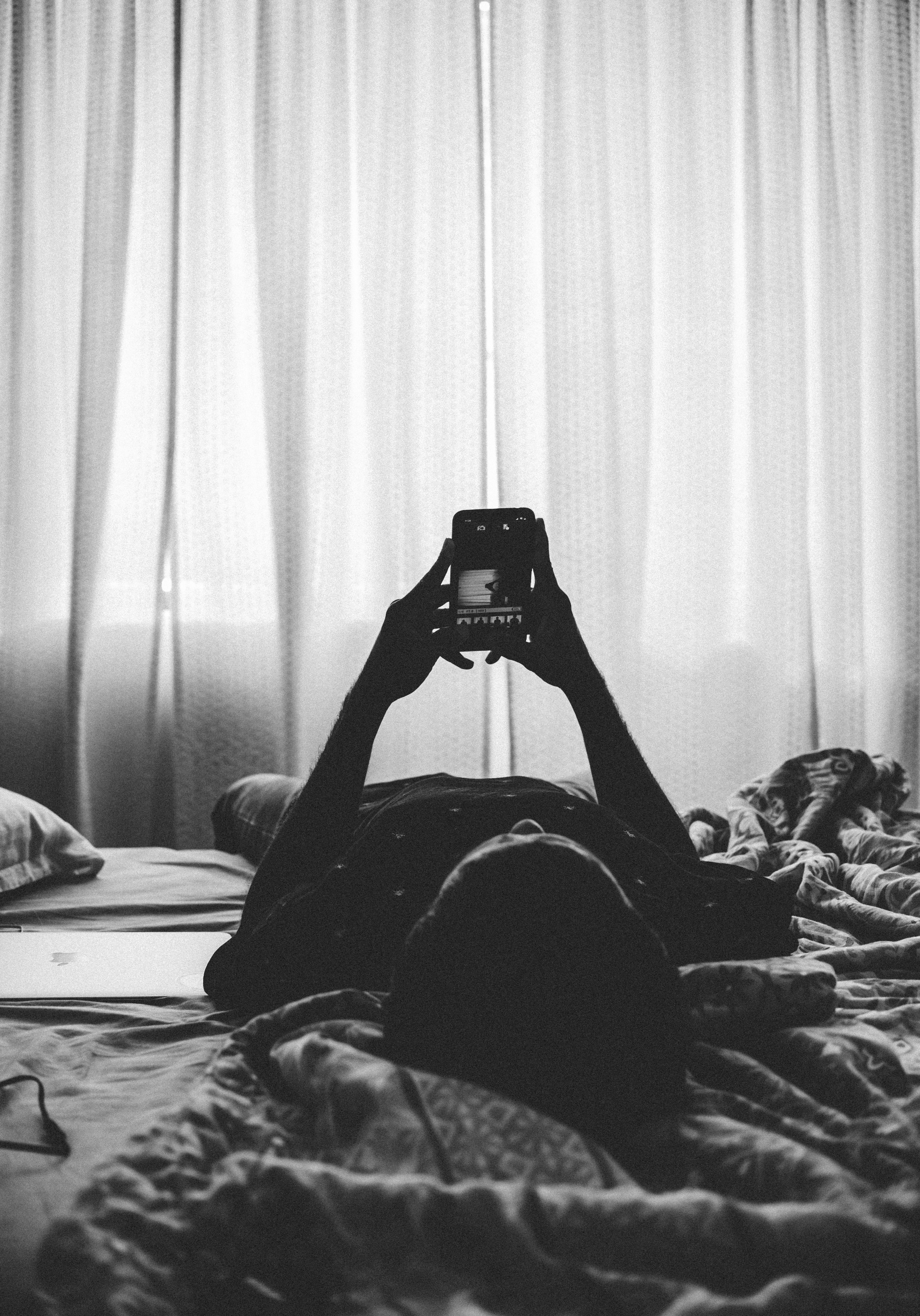
For years, my morning routine went: alarm, dismiss alarm, “just a quick check”, twenty-five minutes of emails, news, WhatsApp, and a vague sense of dread before my feet had even touched the floor. By the time I was in the shower I was already irritated, behind, and mentally responding to three different conversations I hadn’t actually had yet.
It turns out this is a properly bad habit. Filling your brain with other people’s priorities before you’ve even had a coffee trains you to spend the whole day in reaction mode, bouncing from notification to notification rather than actually choosing what to think about. The article makes the point quite well - you basically hand over control of your mental state before you’ve even got your socks on.
A few things that helped me early on:
- Buy a separate alarm clock. This might sound daft or inconvenient, but it’s still pretty effective. Once your phone isn’t the alarm, you’ve got no reason to touch it within the first hour. Mine lives on a shelf the other side of the room, which has the bonus effect of forcing me out of bed to switch it off. I’ve since been able to switch back to using my phone as an alarm again because my smart watch wakes me up now on behalf of the phone. I no longer need to reach for my phone to dismiss my alarm. It was a game-changer for me.
- Charge the phone outside the bedroom. Or at least, not on the bedside table. Out of reach equals out of habit. I charge my phone at my desk at work, or in another room when I get home from the office. If you work in an office, you’re sat there most of the day, why wouldn’t you just shift the charge time to when you’re captive anyway?
- Give yourself a buffer window before you check anything. Mine is roughly the time it takes to make and drink the first cup of coffee. We’re not talking meditation-app territory, just a quiet fifteen minutes where the world’s noise stays muted for your brain to boot up.
It feels weird for a couple of days, and then you’ll wonder how you ever did it the other way.
Wind down at night, too#
The other end of the day is just as important, and the fix is much the same in reverse.
Bedtime mode on the iPhone has been super helpful for me. You set a time, and the phone basically goes into wind-down mode: dimmed screen, silenced notifications, a tinted lock screen that just says go to sleep. Android has its own equivalent in the Digital Wellbeing settings, and Chris Hall over at TechRadar has written nicely about using greyscale mode at bedtime. When Instagram looks like a black-and-white textbook, the urge to scroll evaporates almost immediately. It’s a clever trick, and one you can do manually on iOS via a Shortcut.
What this stuff does, more than anything, is create a hard stop. Without one, the evening just dribbles on until you begin to nod-off mid-scroll with the lights still on. With one, your brain learns that 10pm means that’s enough now, and, crucially, you stop going to bed wound up about whatever you were doom-scrolling five minutes earlier.
Sleeping has measurably improved for me since I stopped using the phone as a nightcap. Of course, this is all anecdotal but almost everyone could probably benefit from installing similar boundaries.
Declare war on notifications#
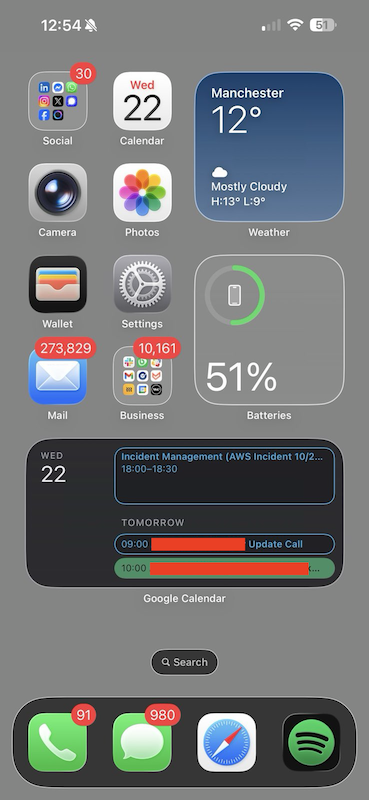
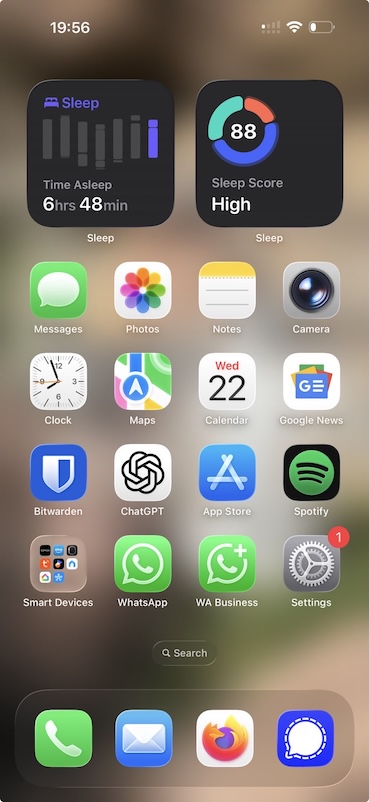
I can’t stress how important this is.
Most app notifications are not for your benefit.
They exist to drag you back into the app so somebody can sell ads against your eyeballs. Treat them accordingly; with suspicion and contempt.
My rules of thumb, roughly:
- Default position: off. Notifications go on only if I have a specific reason: messages from actual humans, calendar reminders, stuff like front-door camera for deliveries. Almost nothing else qualifies.
- Apps that beg you to turn notifications back on every time you open them get punished. Snapchat, Reddit, X, Facebook: I’ve called them out before and I’ll do it again. Some of them give you a manipulative little dialog every single launch. No.
- Turn off the red badges, too. Those little numbers were literally engineered to be irresistible. They hijack the same novelty circuit that everything else exploits. Switch them off and you’ll be amazed how little you miss them.
De-Facebooking (the app, the notifications, the lot) was the single biggest single-app win for me. I went from checking it dozens of times a day to barely opening it once a month, and I have lost precisely nothing of value in the process. I’ve not had Facebook on my device for years now and don’t miss it one bit. I had a transitional period of accessing it through the browser instead (which is actually better for your privacy than having the app anyway) and that barrier of it being less smooth is one of the ways I was able to take back a bit more control. I still haven’t deleted the account, but I’m getting close now. Something I thought impossible 10 years ago. I was hooked - and now I am free. Meta has been talking about moving to paid subscriptions for a while now (something they promised to “never” do) and they’re finally implementing just that in 2026. This will probably be the last straw for me.
While you’re at it: delete the apps you don’t actually use. The iOS Offload App feature is excellent for the in-between case. It removes the app to save space but keeps your data, so if you ever do want it back, you’re not starting over. This usually maintains your login cookies too. A pruned home screen can feel calmer. And a more private one.
Use what’s already in your pocket#
Before you go installing another app to fix your app problem, have a good look at what your phone can do already. Both iOS and Android have spent years quietly building in tools to help you use them less. Whether anyone’s allowed to make money from that is another question, but the features are there.
TechRadar’s Josephine Watson wrote a great piece about three native iOS features that nearly halved her screen time. Worth a read, but in short:
- Do Not Disturb and Focus Modes. Schedule them, set exceptions for people who actually matter, dim the lock screen, hide badges. The Apple Intelligence version that picks priority notifications for you is genuinely useful too.
- Screen Time limits. Set a hard cap on the worst offenders. Instagram and TikTok deserve no more than half an hour of your life a day; tell your phone to enforce it.
- Screen Distance. This one was new to me. It nags you when you hold the phone too close to your face, which is exactly the position you adopt when you’re in bed at midnight doomscrolling. It’s annoying by design, and that’s exactly the point.
Android has very similar bits and pieces under Digital Wellbeing, plus the greyscale trick mentioned earlier on. None of these tools are a magic bullet, but activated together they add real friction in the right places, and friction here is your friend.
Block the rest with apps#
When the built-in tools aren’t enough (usually for me that means deep-focus work on the laptop rather than the phone), bring in the heavy artillery.
There’s a whole little industry of blocker apps built precisely for this:
- Freedom: blocks distracting sites and apps across all your devices on a schedule. Founder Fred Stutzman built it because he couldn’t write his dissertation with Facebook open; human rights lawyer Susie Alegre used it while writing her book Freedom to Think.
- Cold Turkey: desktop-focused, brutal, and very effective. Has a “Frozen Turkey” mode that locks you out of your computer entirely if you really need it.
- FocusMe: similar idea, cross-platform, lots of granular control.
- Forest: a gentler approach where you grow a little tree while you don’t touch your phone. Sounds twee, but it works on people who respond well to gamification and sustainability practices.
- Duolingo Focus mode: blocks your social media until you finish your lessons. My partner swears by this one, and as a result, her Spanish is coming along very nicely, at the expense of her Instagram addiction.
Most of these have a locked mode so you can’t undo the block mid-session. Ruthless, but exactly what you want when the urge to “just quickly check” hits.
This is roughly the principle behind the whole Monk Mode trend the BBC wrote about a few years back: pick a finite block of time, kill every distraction you can, and only do the one thing that actually matters. You don’t need an app or a hashtag for it, mind; you just need to commit to one task at a time for an hour or two and see what happens. Spoiler: quite a lot, actually.
Split work from the rest of your life#
Once you start working from home (or just doing both on the same phone), the line between work and life gets dangerously fuzzy. The fix is to put that line back, by force if necessary.
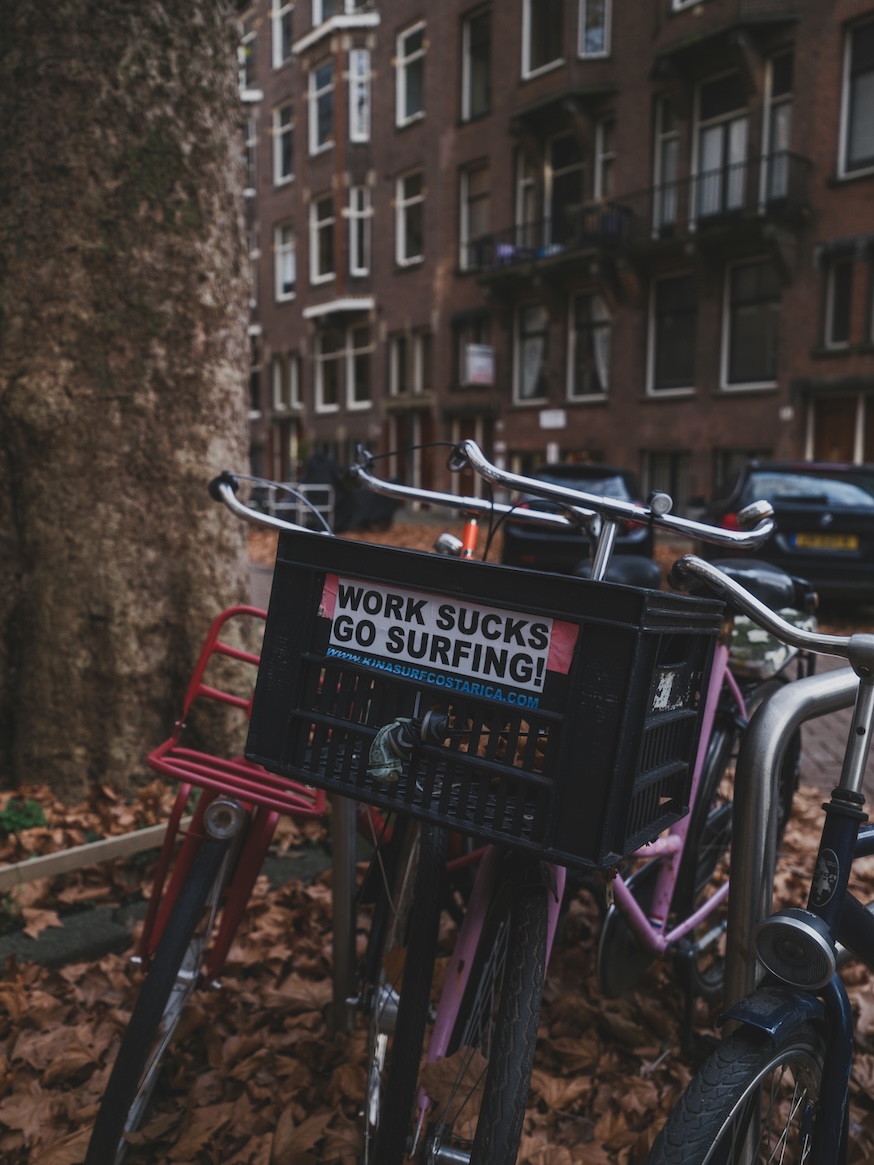
A few things that have worked for me:
- Separate profiles on the browser. Firefox now properly supports multiple profiles via the Profile Manager and containerised tabs too, so I can have a Work window with the work bookmarks, logins and tabs, and a totally separate Personal window for everything else. Same browser, same machine, two entirely different mental spaces. Chromium-based browsers have similar things too.
- App-level profiles where they exist. Signal has rolled out separate notification profiles, which is brilliant for muting work groups outside of working hours without going fully silent. More apps need to follow suit.
- A work-only Focus or Do Not Disturb schedule. My phone has no idea what Slack or Teams are after 6pm; they’re routed straight into the bin until the next morning. Nobody has ever died as a result.
The bigger workplace problem is cultural, of course. Wellbeing coach John Pearson writes about this well: the expectation of instant responses is the real killer. A message sent at 4pm doesn’t need an answer by 4:01. If your team behaves as though it does, that’s a conversation worth having, because the alternative is everyone permanently half-working, half-stressed, and never actually offline.
The nuclear option is to use a completely separate device for business and personal time. Instead of recycling your old mobile at upgrade time, turn it into a work phone and have a completely separate set of apps and settings. Combine this with the focus modes too, and one goes quiet while the other wakes up. In my office routine, the work phone goes into my work bag at the end of the day and it comes out again on my way back into the office the next working day. If you work remotely, the same principle still applies: put the work device physically out of reach once you’re off the clock.
I hear a lot of people challenge me on this point, but it really is a game-changer not only with attention, but work-life balance. The best barriers between your workself and your personal self are the physical ones. In my experience, the rest becomes much easier to manage. Try it.
Try going cold turkey for a bit#
You don’t have to do anything as dramatic as ditching your smartphone entirely, but for some people, that turns out to be exactly the cure. The BBC ran a piece about Jess Farnham, a 24-year-old in Manchester who swapped her smartphone for a 2000s flip-phone for a week. She reported that the first 24 hours were grim, and that the next six days felt amazing, with what she described as improvements in her sleep, mood and productivity.
A similar story comes from Tom over at Another Angry Voice, who took a proper break from social media after years of feeling chewed up by the negativity. He came back lighter, calmer, and with more time for actual life. Same story, over and over, from everyone who tries it.
You can scale it however you like. Things worth trying:
- A 24-hour offline day. Tell anyone who needs to know, then put the phone in a drawer. See what happens.
- A weekend with the WiFi off. Brutal, but can be as refreshing as it can be brilliant.
- Uninstall (not just log out of) the worst offending apps for a week. If you can’t bring yourself to delete them, at least bury them deep on the last home screen.
- Walk somewhere with no music or podcast. Just walk, with your own thoughts for company. Genuinely uncomfortable at first; genuinely worth it.
If even thinking about being unreachable for a day makes you twitchy, that itself is data. It usually means the dependency is stronger than you realised.
The bots are watching too#

Worth a quick mention here, because it changed how I look at all social media feeds. TechRadar’s Matt Evans deleted his 13-year-old Reddit account after seeing a viral video of an industrial-scale bot farm: racks and racks of screenless phones, pumping out fake engagement on every site you can name.
Once you’ve seen something like that, you can’t really argue with comment threads in the same way again. A huge chunk of what you’re getting wound up by online is either generated by, or amplified by, accounts that are not actually people. Sean Morley’s lovely piece in Now Then Magazine makes a related point, more eloquently than I will: a lot of what we frame as a personal attention problem is really a symptom of an information environment that has been deliberately engineered to be exhausting.
The takeaway, for me at least: be picky. Stick to apps, sites and communities where the owner isn’t just there to get your cash and your data. Only pay for the ones that earn it. Walk away from the ones that don’t. Your attention is very valuable - spend it like it is.
Keeping it up#
There is no final battle with this stuff. Habits creep back, especially the digital ones. The apps update, the notifications quietly turn themselves back on, a new shiny thing appears. Maintenance is part of the deal unfortunately.
What works for me is a kind of low-effort weekly or monthly check-in. A quick glance at the Screen Time or Digital Wellbeing report, and an honest answer to one question. Did I spend that time on things I actually wanted to spend it on? If the answer’s no, change one small thing for the next week. Not ten things; one. Move an app. Kill a notification. Add an extra hour to bedtime mode. Small changes, compounded.
A useful gut-check, if any of this is starting to feel less like a habit and more like a problem: Internet & Technology Addicts Anonymous has a short, blunt questionnaire on phone addiction that’s worth running through. If you tick several of them, no shame in seeking some proper support. This stuff is genuinely engineered to be addictive, and you wouldn’t be the first.
The point is not to become a tech-hating hermit or luddite. None of this is about rejecting technology. I work in it, I love it, I write a whole blog about it. The point is to use it with intent: when, where, and how you choose, rather than letting it choose for you.
Take a second after you put this article down. That quiet? That’s your attention coming home. Don’t lend it out again unless you really want to. Another thing that helped me with this stuff - whenever you pick up your phone, ask yourself “Am I using my phone, or is my phone using me?”
Wrap up#
If any of this essay has been useful, pick one thing, just one, and try it for a week. A different alarm clock. A new home screen. Bedtime mode. Killing Facebook’s notifications. Whatever feels easiest. You don’t have to do everything at once, and you definitely don’t have to be perfect at any of it. I am an all or nothing type of person, so I went as hard in as possible. While I did see immediate benefits, I also missed some important things; but I learned as I went, tweaked and adjusted, and now I can honestly say I am using my phone, it is not using me… well, mostly.
I’ll probably revisit this in a year or two to see how it’s all aged, and to see what new flavours of digital quicksand have appeared in the meantime. As ever, feel free to share your own tricks, war stories or hot takes in the comments.
Further reading#
A grab-bag of the articles I’ve read while putting this essay together. Some of them inspired specific sections; others are just well worth your time on the broader topic. This list covers both articles in the series.
- Another Angry Voice: Too much doom scrolling
- Apple Magazine: How to offload apps on iPhone
- Apple Support: How to use Focus on iPhone
- Apple Support: How to use Screen Time on your iPhone, iPad, or iPod touch
- Apple Support: Keep iPhone at a comfortable viewing distance with Screen Distance
- BBC News: Is phubbing ruining your relationship?
- BBC News: Susie Alegre on using Freedom to think clearly
- BBC News: The people going ‘monk mode’ to limit social media use
- BBC News: Why I got rid of my smartphone for a ‘digital detox’
- Catherine Price: How to Break Up With Your Phone
- Economic Times: Meta moves to paid subscriptions
- Google Support: Digital Wellbeing Help
- Internet & Technology Addicts Anonymous: Phone addiction self-assessment
- Medium: Duolingo Focus Mode
- Mozilla Support: Profile Manager - create, remove and switch Firefox profiles
- Now Then Magazine: Who Remembers Attention Spans?
- Psychology Today: The variable-reward effect
- Silicon Canals: People who check their phone within five minutes of waking up are training their brain to start every day in reaction mode
- TechRadar: I used greyscale on my Android phone to reduce my screen time
- TechRadar: Three native iOS features that almost halved my screen time
- TechRadar: What a social media bot farm looks like
- The Guardian: Banning smartphones from school? What a brilliant idea
- The Guardian: Distraction disaster! Notifications are ruining our concentration
- The Verge: We live in notification hell
- University of Washington News: Task interrupted? A plan for returning helps you move on
- Wellside: The Expectation of Immediate Responses in the Digital Age
- Wikipedia: Phantom vibration syndrome